Dynamics 365 Business Central: Workflows Approval – 2 Level
Dear Readers,
If you have spent time in Business Central forums, one of the most common questions is how to set up multi-level approval workflows.
In this post, we will look at three common ways to set up a 2 level approval workflow in Business Central, using only Workflow Steps.
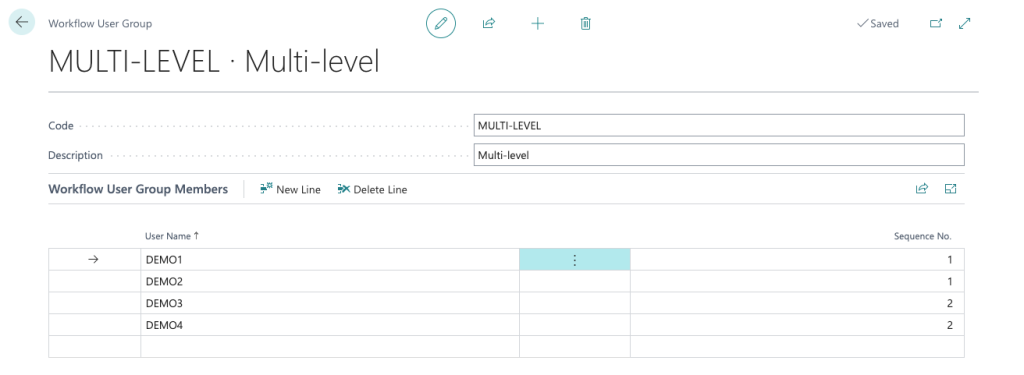
1. Workflow User Group
In this example, we will use one Workflow User Group across all three setups.
2. Either Approver Moves to Next Level
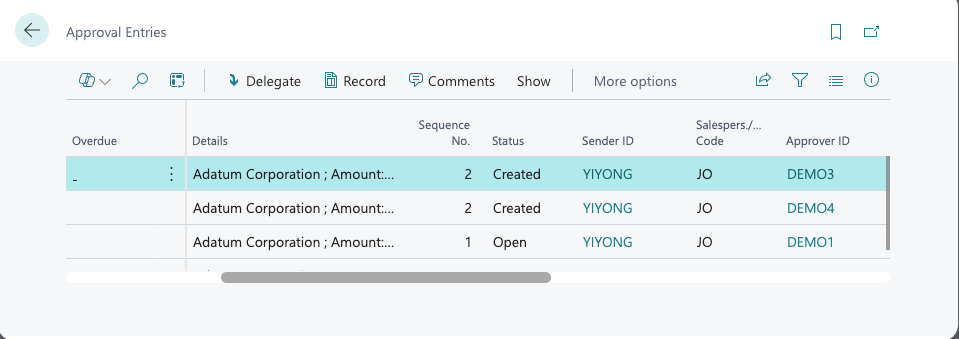
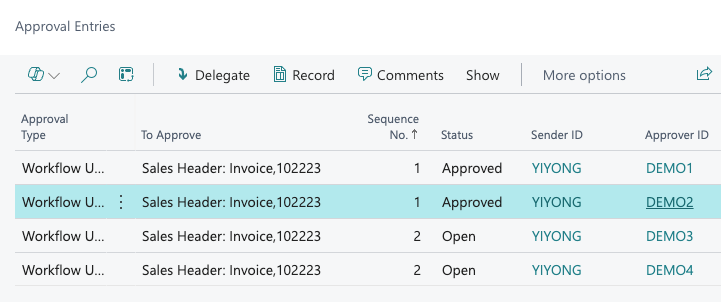
At level 1, there are 2 approvers, but only one of them needs to approve before the workflow moves to level 2.
The same rule applies at level 2 — only one approver out of the two needs to approve before the document is released.
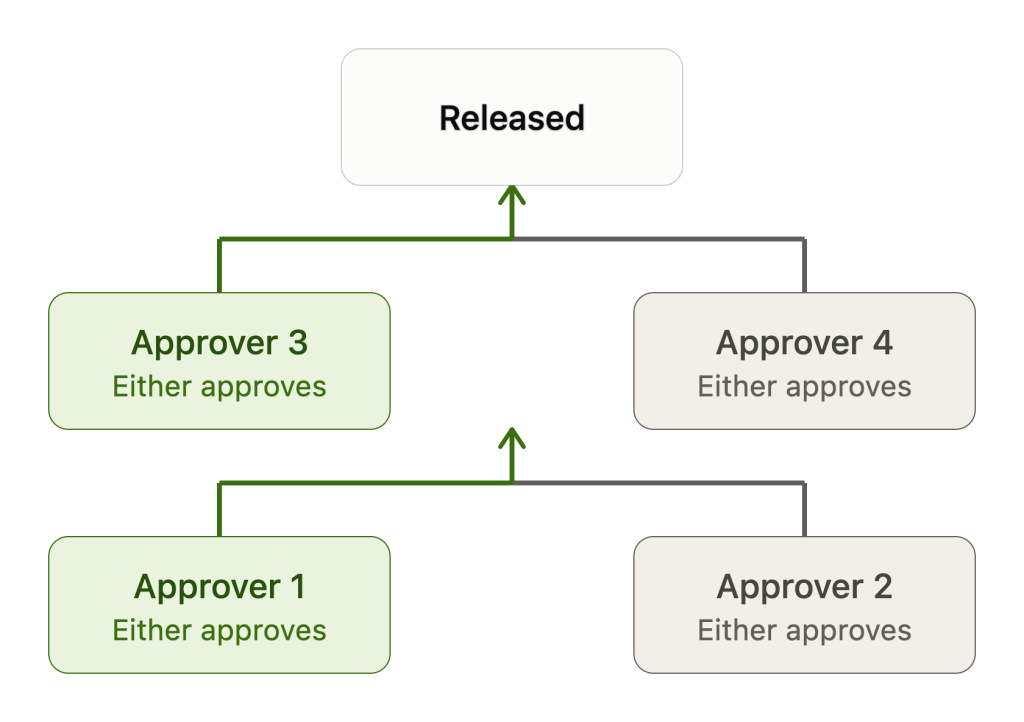
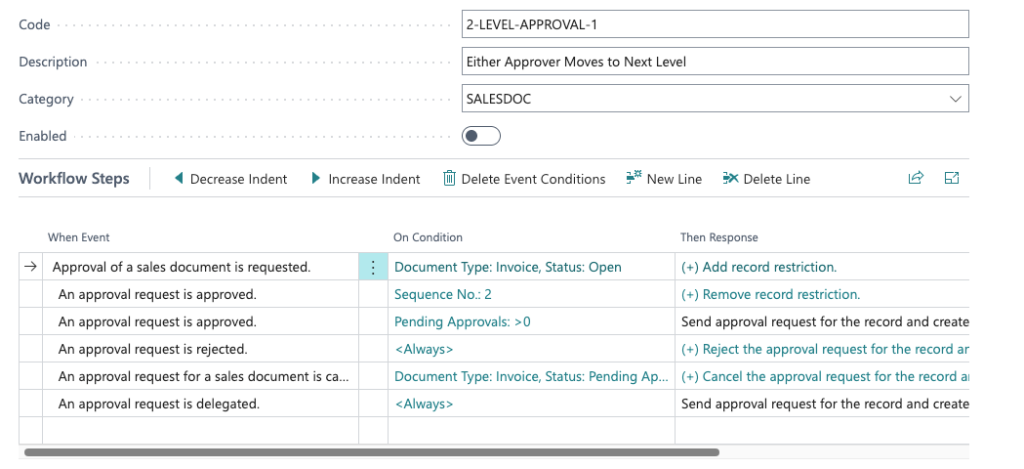
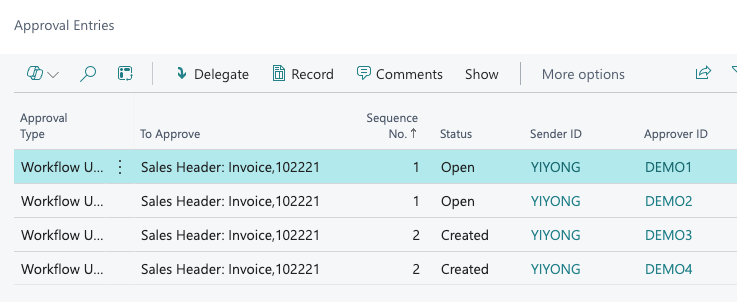
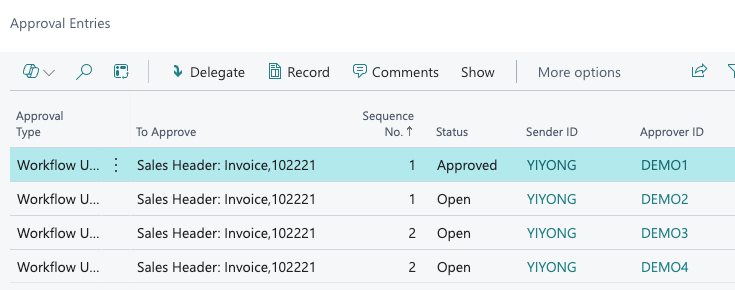
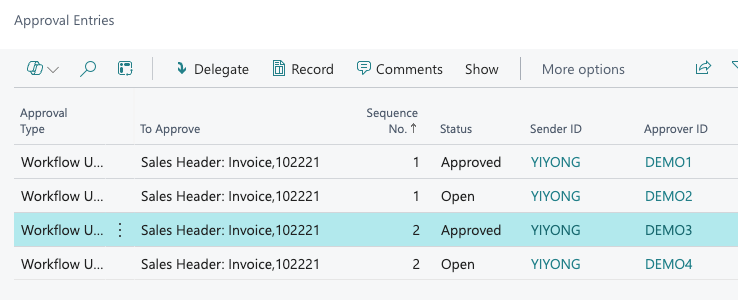
Record will be Released once any second level approver approves.
DEMO2 and DEMO4 can still approve, but it will have no impact.
3. Both Approvers Must Approve at Each Level
This setup is the strictest of the three. At level 1, both approvers must approve before the workflow moves to level 2.
The same rule applies at level 2 — both approvers must approve before the document is released.
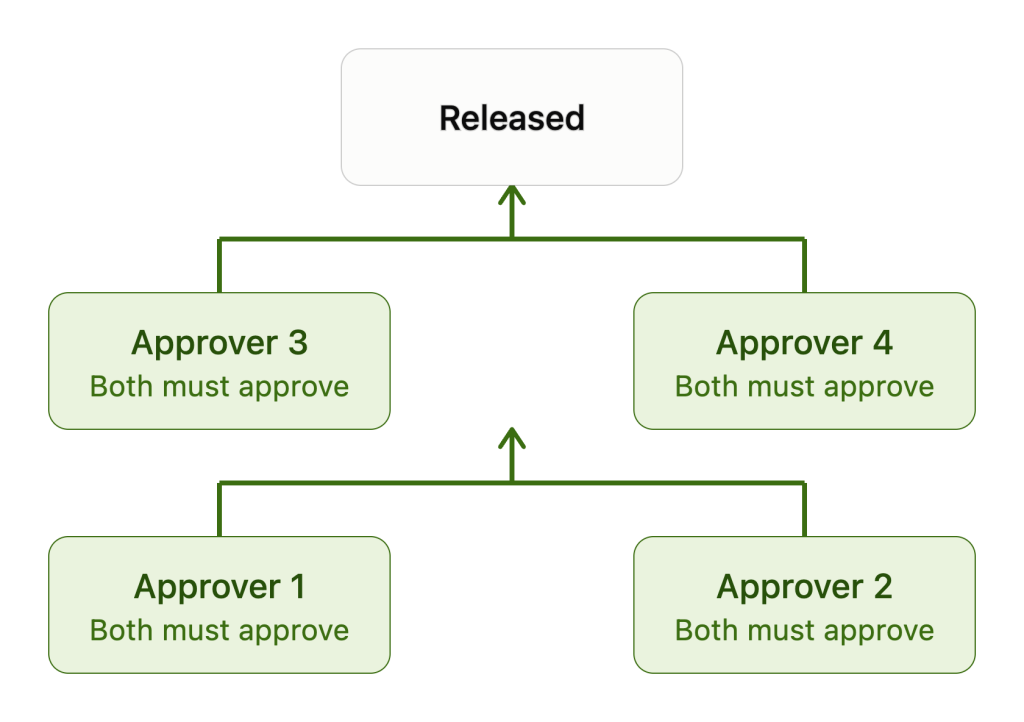
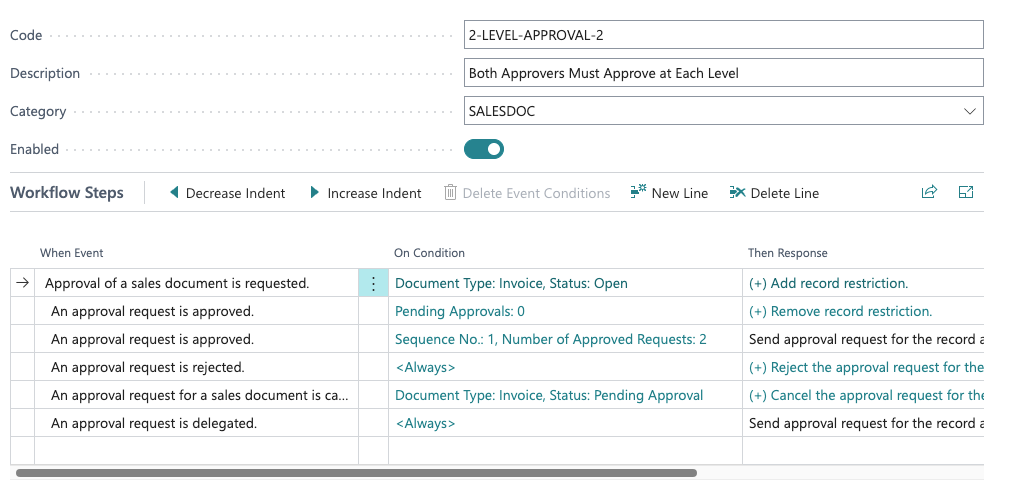
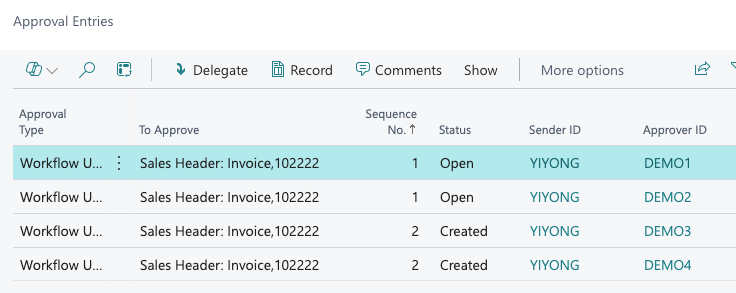
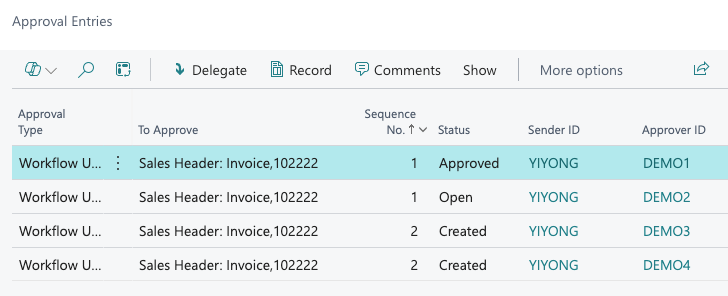
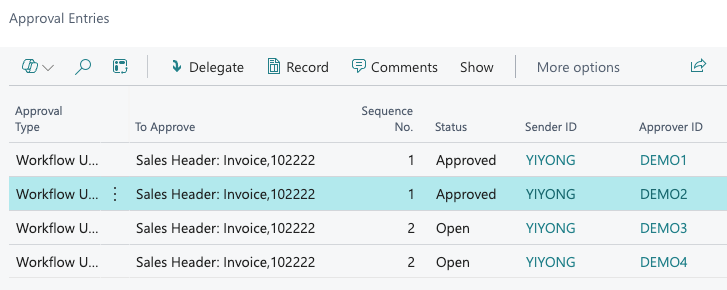
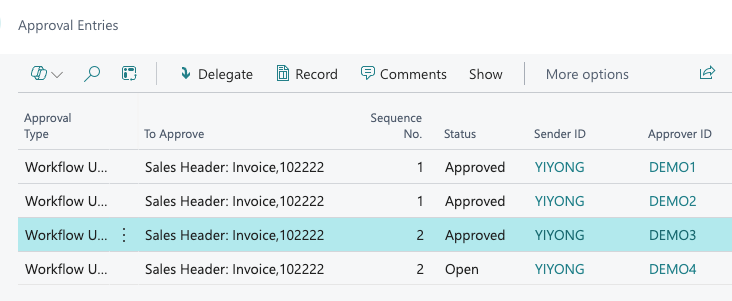
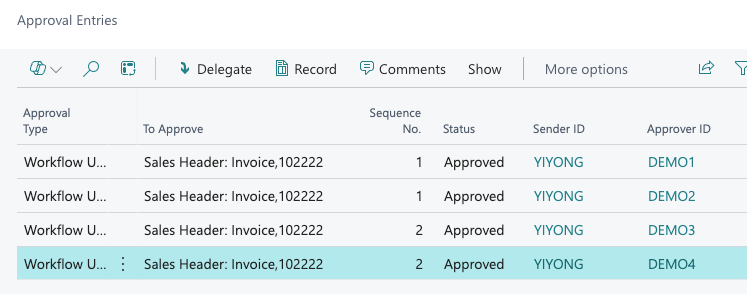
Record will only be Released when there is no pending approval.
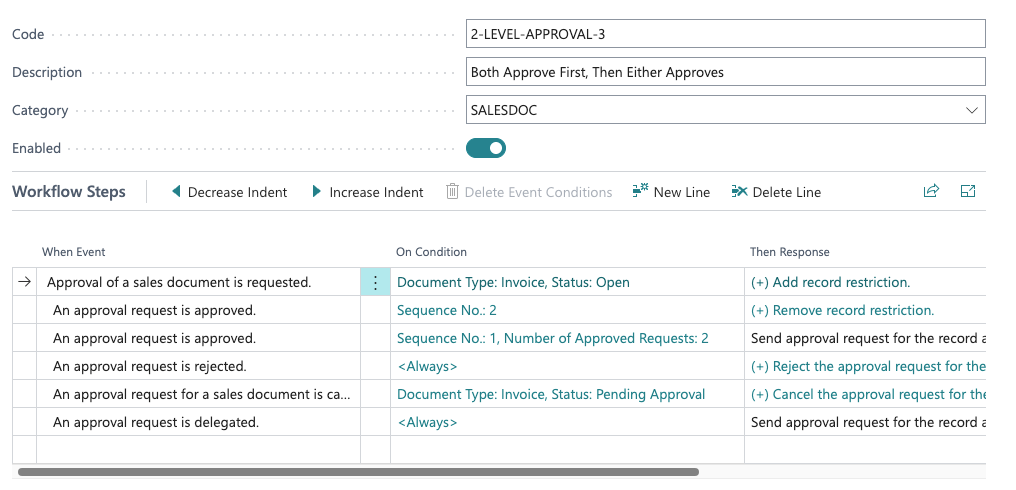
4. Both Approve First, Then Either Approves
This setup combines the two rules.
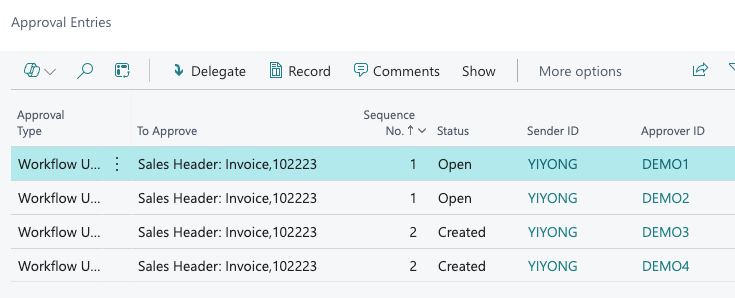
At level 1, both approvers must approve before the workflow moves to level 2.
At level 2, only one of the two approvers needs to approve before the record is released.
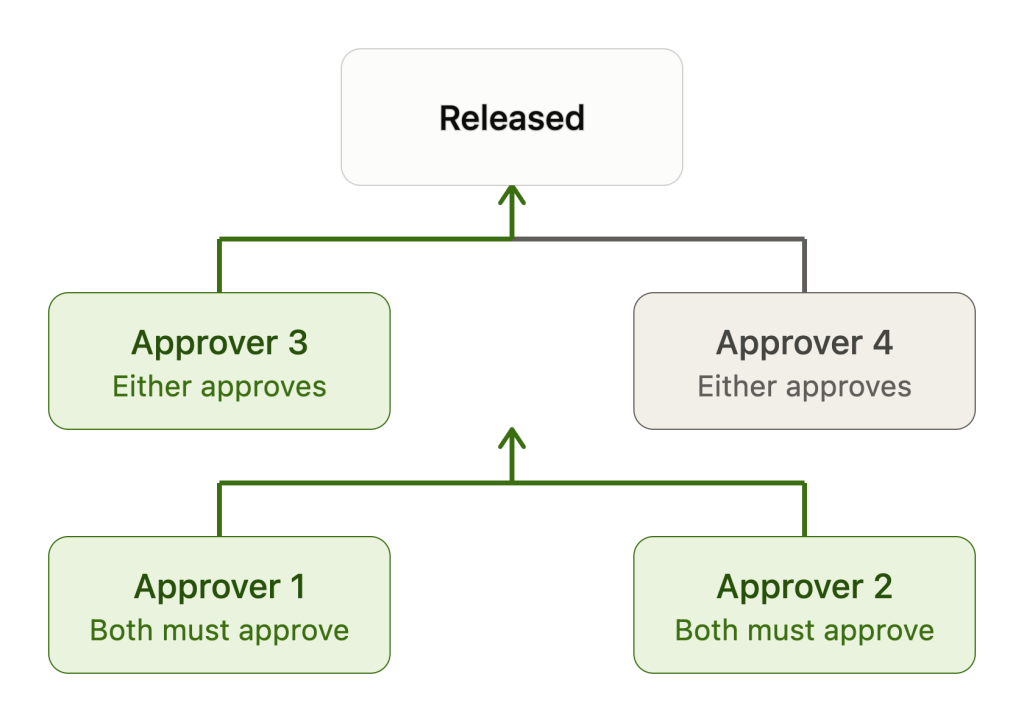
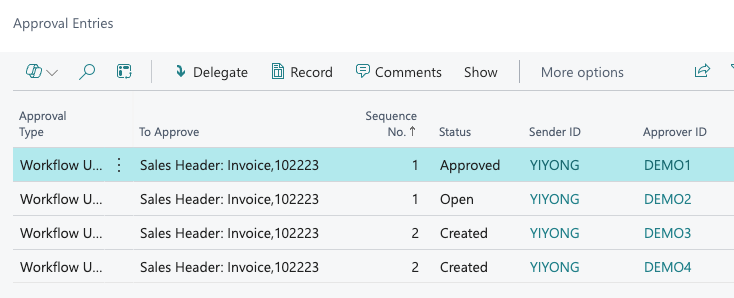
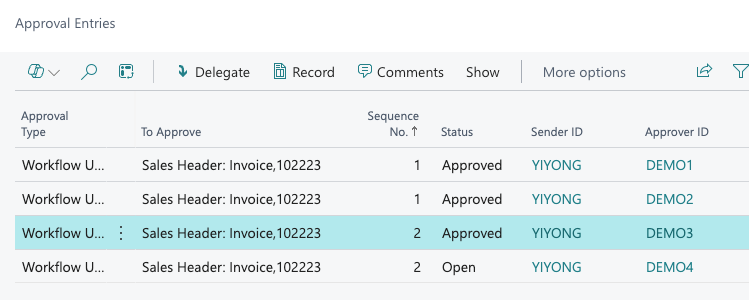
Record will be Released once any second level approver approves.
DEMO4 can still approve, but it will have no impact.